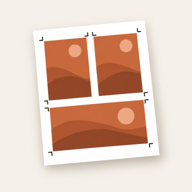
 Photo Print
Print passport photos at a photo lab — no printer needed
By Mohamed Elatabany · Updated 11 October 2026
Make the sheet in Photo Print, save it as a 4 × 6 inch (10 × 15 cm) photo — 1200 × 1800 pixels at 300 pixels per inch — and order an ordinary 4 × 6 print at a store photo kiosk or online lab. Ask for no border and turn off auto-crop and auto-fix, then cut along the guides.
Check the issuing authority’s current rules for the portrait itself — background, expression, lighting and age of the photo. Photo Print prints the exact size you choose; it does not check a photo against any government’s requirements, and some offices take the photo themselves.
Why a 4 × 6 photo
4 × 6 inches (10 × 15 cm) is the standard print size at almost every photo lab and store kiosk. Photo Print lays your passport or ID photos out on exactly that sheet, so when the lab prints it at 4 × 6 without cropping, every photo comes out at its true size.
Make the sheet
- On the Home screen, tap ID photos and choose your size, for example 2 × 2 in or 35 × 45 mm.
- Pick your portrait. Photo Print fills a 4 × 6 sheet with copies and cut guides.
- From version 1.6, Photo Print frames the face for you: it finds the face on your iPhone and sizes and centres the head for the size’s head guide. Check it, and move or zoom if you need to. The head goes between the guide’s outlines. You can set the background to white or light grey.
- On the Export tab, use No printer? Use a photo lab to save the sheet as a photo. Save it to Photos, or share it straight to a lab’s app or website.
Settings to ask for at the lab
| Setting | Choose | Why |
|---|---|---|
| Print size | 4 × 6 in (10 × 15 cm) | The sheet is made for exactly this size. |
| Border | None (full bleed) | A white border shrinks the whole picture to fit inside it. |
| Crop / fit | Off, or “print entire image” | Auto-crop can trim the edges and enlarge everything slightly. |
| Auto-fix / enhance | Off | Colour and brightness changes can make a portrait look unnatural. |
| Finish | As your application asks (often matte or glossy photo paper) | Some offices state a finish. |
Check the first print
Measure one photo with a ruler before cutting: a 2 × 2 in photo is 50.8 mm on each side, a 35 × 45 mm photo is exactly that. If it is smaller, the lab fitted or bordered the image — ask them to print it again at 4 × 6 without a border or cropping.
How many photos per print
A 4 × 6 sheet holds six 2 × 2 in or six 35 × 45 mm photos, four 50 × 60 mm photos, or nine 30 × 40 mm photos, with cut guides between them. One inexpensive 4 × 6 print usually covers an application with copies to spare.
Printing at home instead? Passport photos on your own printer
Next steps
Written by Mohamed Elatabany, developer of Photo Print. App instructions are based on Photo Print; lab and printer behaviour varies. Send a correction or ask for help.