 Photo Print
Print 35 × 45 mm photos from iPhone
By Mohamed Elatabany · Updated 3 October 2026
A 35 × 45 mm photo is 3.5 × 4.5 cm, or about 1.378 × 1.772 inches. In Photo Print, choose the 35 × 45 mm preset, arrange copies on your loaded paper size, and print with AirPrint or export a PDF at 100% scale.
If this is for a passport, visa or identity document, check the issuing authority’s current requirements before taking or editing the portrait. Size alone does not establish eligibility. Photo Print helps with sizing and placement; it does not certify compliance.
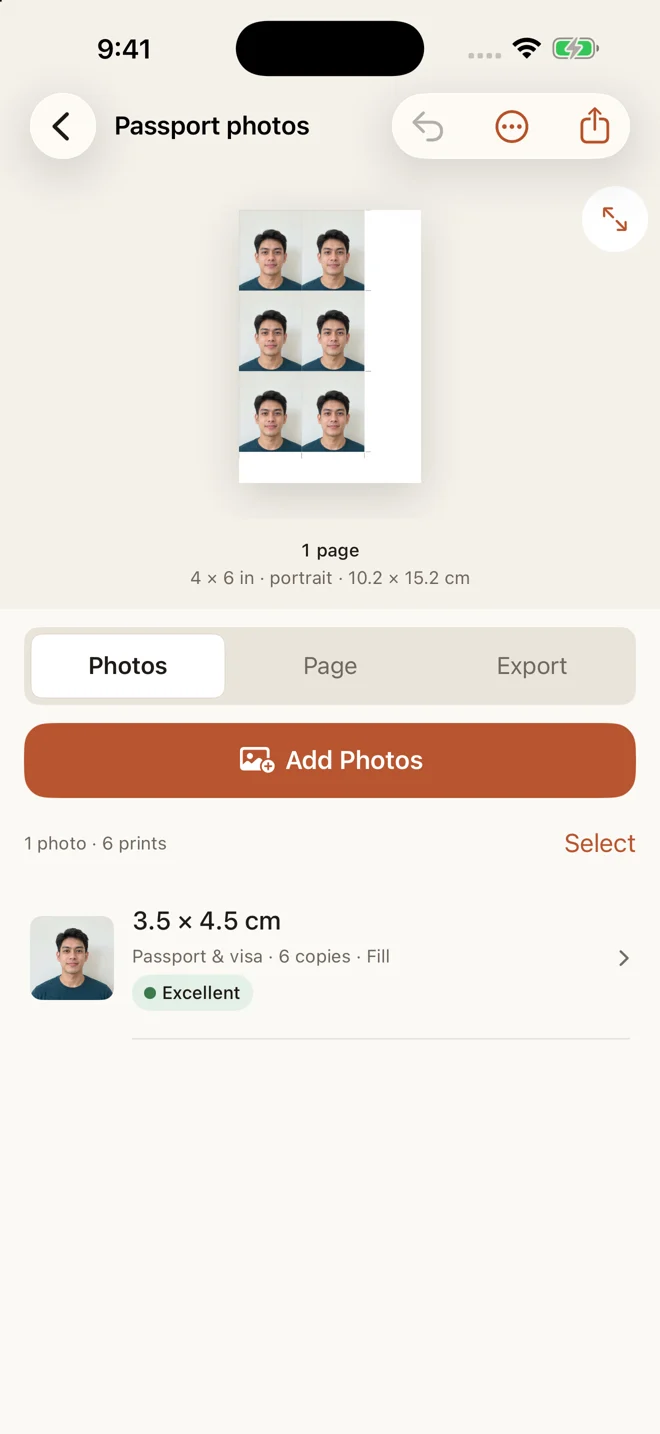
Make the sheet
- Start a layout and add your portrait from the photo library.
- Select 35 × 45 mm. Enter millimetres directly if using a custom size; do not round to 1.4 × 1.8 inches.
- Use Fill for a portrait covering the rectangle. Open the crop editor and position the face. The head-size guide is a positioning aid; verify it against your application’s rules.
- Add the copies you need. Choose A4, US Letter or 4 × 6 to match the paper in your printer.
- Leave space for printer margins and trimming. Look for any unplaced photos in the preview.
- Print or save the PDF. For a PDF, choose Actual size or 100%, then measure one photo with a ruler.
What resolution do I need?
At 300 pixels per printed inch, the target is approximately 414 × 532 pixels after cropping, rounded up. This is a print-resolution example, not an official document requirement. A larger original gives you more room to crop; increasing pixel dimensions later cannot recover missing detail.
How many fit on a 4 × 6 sheet?
A simple portrait grid can fit eight: four 35 mm columns across the 152.4 mm side and two 45 mm rows across the 101.6 mm side. With 2 mm between photos, that grid measures 146 × 92 mm, before page margins. Your printer may need more edge clearance, so use the preview rather than assuming every printer will accept that layout.
Why is my printed photo too small?
Automatic PDF scaling can shrink the entire sheet. Correct the print settings rather than compensating by changing a required 35 × 45 mm size in the app. If part of the photo is cut off at 100%, move it away from the sheet’s unprintable edges.
Next steps
- Convert photo sizes and calculate pixel targets
- Fix prints that come out at the wrong size
- Browse all printing guides
Written by Mohamed Elatabany, developer of Photo Print. App instructions are based on Photo Print; printer behaviour varies. Send a correction or ask for help.